
EVERALERT FOR K–12 SCHOOLS
Stop Juggling
Seven Systems
to Keep One
Campus Safe.
EverAlert replaces your PA system, bell schedule, digital signage, and emergency notifications with one cloud-managed platform built for K–12 — and it keeps working when the power doesn’t.
No pressure, no sales script — just a walkthrough of your district’s setup.
1 Cloud Portal
Manage Your Entire System
K – 12
Districts Nationwide
7-in-1
Platform, One Vendor
3 Alert Modes
Audio, Visual & Strobe
See EverAlert in a Real School District
AGWSR Community
School District, Iowa
AGWSR Community School District (Ackley, Geneva, Wellsburg & Steamboat Rock, Iowa) upgraded after storm damage in 2022. Today, 150 EverAlert devices connect two campuses.
EverAlert’s displays run on PoE+, pulling power from the district’s network switches instead of the wall. When a derecho or severe storm knocks out grid power, the same battery and generator backup that keeps AGWSR’s network alive keeps their EverAlert screens lit too.
“What I really didn’t expect was going to become basically the hub of our whole security plan. – Mark Culver (Technology Director of AGWSR Community School District)”
When Every Second Counts
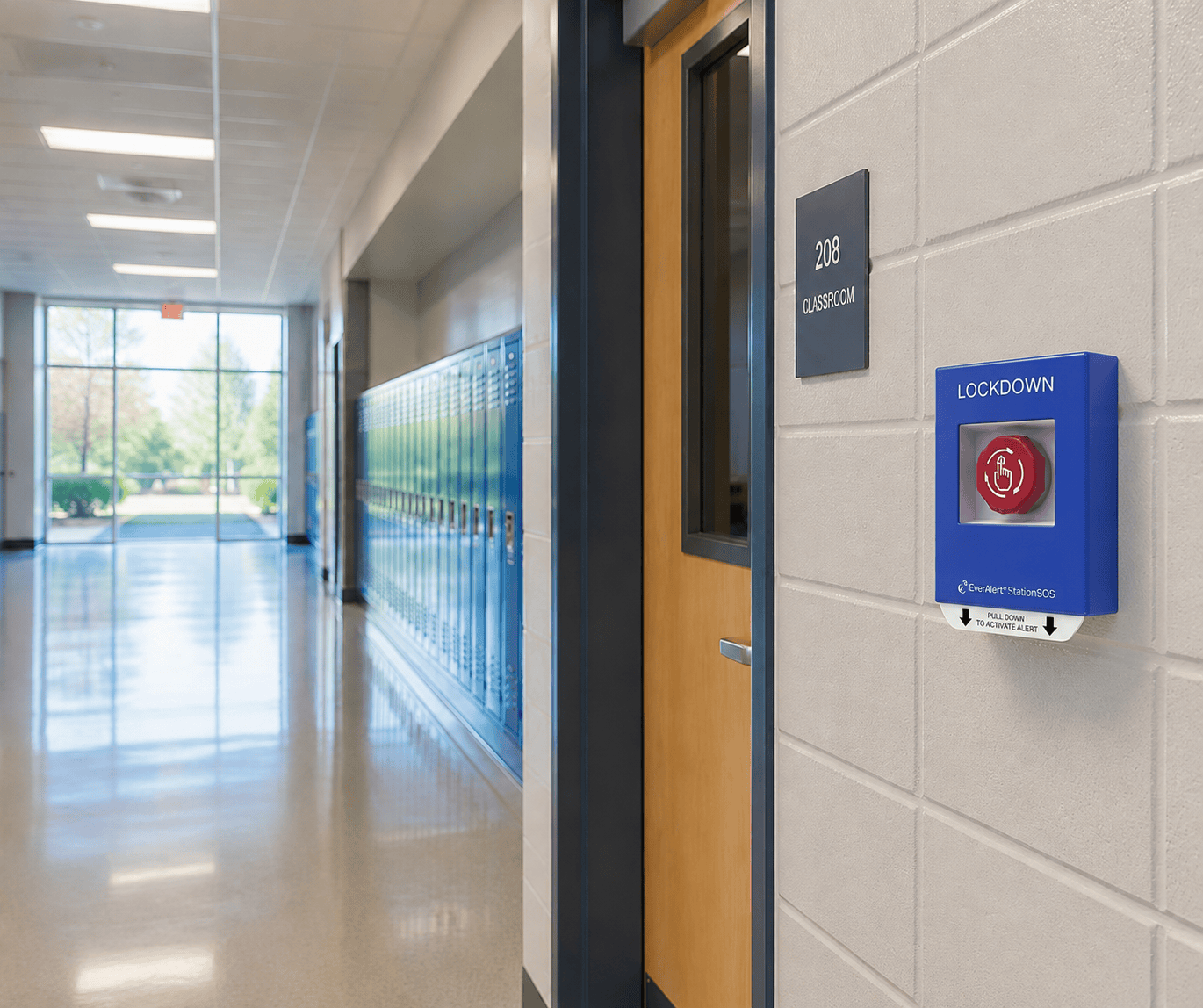
One button. Every screen. Instantly.
StationSOS panic buttons trigger instant lockdown or evacuation alerts across audio, visual strobes, and every connected screen—using pre-recorded, calm voices instead of a panicked announcement over the PA.
Built on the “I Love U Guys” Standard Response Protocol and ready to integrate with Raptor and existing security badge systems.
“Cougars, attention please. Hold in your room or area. Clear the halls.”
— Standard Response Protocol Voice Alert
One Screen, Every Update
From install to everyday use with zero electrician visits
ESKO Public School needed a new PA system, clocks and alert system. EverAlert consolidated all three signage and slideshows run through MediaPlus, and the EverAlert Speaker covers audio-only areas a screen can’t reach.
“Setup was super easy. This was the absolute easiest thing I have ever rolled out: plug in a display, it pops up on inCloud, and you just name your display, add the different zones.”
Tony Compo Head Custodian, ESKO Public Schools
Simple Cloud Management
Manage It All From Anywhere
inCloud puts setup, scheduling, monitoring and messaging in one dashboard. No IT tickets required.
- Set up, schedule and monitor every display, integrator and speaker
- Create and change bell schedules in just a few clicks
- Send messages to a zone, a building or the entire district
- Automated device status reports and license audits
“I saw the inCloud solution and their schedule for scheduling bells. That was probably the selling point for me.”
One Vendor. Seven Systems. Zero Headaches.
Everything on one platform
Seven functions, seven vendors, seven logins—or one platform, one vendor, one place to call. EverAlert is built to be the second one.
-
01
Emergency Notification
-
02
Synchronized Time
-
03
Weather & Date
-
04
Bell & Event Scheduling
-
05
Digital Messaging
-
06
Multimedia /
Digital Signage -
07
Live Audio Paging
Not Ready to Talk Yet?
Start with the resources,
not a phone call
EverAlert Communication System Overview
The full 20-page product overview—every feature, use case and spec. No form, no obligation.
Get the free overviewReady When You Are
Ready to Simplify Your
Campus Communication?
Talk to an EverAlert specialist about your district and see how a single platform can replace your fragmented systems. No obligation, no pressure. We’ll set up a personalized walkthrough.